


Are you ready to transform your trading experience and seize market opportunities no matter where you are? The RoboForex R MobileTrader iOS App is your essential companion for navigating the financial world with unparalleled flexibility and power. Designed specifically for Apple devices, this intuitive platform puts a comprehensive suite of trading tools, real-time data, and robust security features directly into your hands. Elevate your engagement with global markets and make informed decisions on the go, turning your iPhone or iPad into a sophisticated trading workstation.
- Why Choose R MobileTrader for iOS?
- Getting Started: Your RoboForex R MobileTrader IOS App Download
- The Power of Mobile Trading
- Getting Started with Your RoboForex R MobileTrader IOS App Download
- How to Easily Download R MobileTrader iOS
- What Makes the RoboForex Mobile App Stand Out?
- Key Features of the R MobileTrader iOS App
- Step-by-Step Guide to App Installation
- Minimum System Requirements for iOS Devices
- Key Requirements for Optimal Performance
- Why These Specifications Matter
- Why Trade with RoboForex on Mobile?
- Accessing Your Trading Account Securely
- Managing Funds: Deposits and Withdrawals on the Go
- Available Trading Instruments on the iOS App
- Currencies (Forex)
- Stocks
- Indices
- Commodities
- ETFs (Exchange Traded Funds)
- Cryptocurrencies
- Understanding the User Interface and Navigation
- Advanced Charting Tools for Technical Analysis
- Unleash Powerful Indicators
- Versatile Chart Types and Timeframes
- Executing Trades: Orders, Stop Loss, and Take Profit
- Mastering Order Types for Every Scenario
- Protecting Your Capital with Stop Loss
- Securing Your Gains with Take Profit
- Seamless Execution on Your iPhone
- Push Notifications and Market Alerts
- What You Get with Our Alerts:
- Security Measures within the RoboForex R MobileTrader App
- Advanced Data Encryption
- Secure Authentication Protocols
- Continuous Platform Monitoring
- Your Role in Maintaining Security
- Troubleshooting Common App Issues
- App Not Launching or Crashing
- Login Problems
- Slow Performance or Freezing
- Issues During App Updates
- When All Else Fails: Reinstallation
- Contact Support
- Comparing R MobileTrader with Other Mobile Platforms
- What Makes R MobileTrader a Standout?
- R MobileTrader: A Quick Comparison Perspective
- Frequently Asked Questions
Why Choose R MobileTrader for iOS?
Trading in today’s fast-paced world demands immediate access and robust tools. The R MobileTrader iOS app delivers exactly that. It’s built from the ground up to leverage the performance and security features of Apple devices, ensuring a seamless and reliable trading experience. Whether you are a seasoned professional or just starting your journey in mobile trading iPhone markets, this application provides all the essentials for informed decision-making and swift action.
It’s built from the ground up to leverage the performance and security features of Apple devices, ensuring a seamless and reliable trading experience.

Key advantages include:
- Intuitive Interface: Navigate markets and manage trades with ease thanks to a user-friendly design optimized for touchscreens.
- Full Account Management: Deposit, withdraw, and monitor your account balance, equity, and margin levels in real-time.
- Advanced Charting: Access a wide range of technical indicators and drawing tools for in-depth market analysis directly on your mobile device.
- Instant Order Execution: React quickly to market changes with lightning-fast order placement and execution.
- Market News & Analysis: Stay informed with integrated news feeds and analytical tools, keeping you ahead of market trends.
- Security: Benefit from robust security protocols protecting your data and transactions.
Getting Started: Your RoboForex R MobileTrader IOS App Download
The process to download R MobileTrader iOS is straightforward and quick, ensuring you can dive into trading without unnecessary delays. Accessing the app takes only a few simple steps:
The process to download R MobileTrader iOS is straightforward and quick, ensuring you can dive into trading without unnecessary delays.
- Open the App Store on your iPhone or iPad.
- Search for “RoboForex R MobileTrader”.
- Tap the “Get” button to initiate the download and installation.
- Once installed, open the app and log in with your existing RoboForex account credentials or register a new account directly.
You are now ready to experience the full power of mobile trading, backed by RoboForex’s reliable infrastructure.
The Power of Mobile Trading
The financial world never sleeps, and neither should your ability to engage with it. Using the RoboForex mobile app provides unparalleled freedom and responsiveness. Imagine being able to check your trades during your commute, analyze a sudden market shift while having coffee, or adjust your positions from anywhere in the world. This level of accessibility is no longer a luxury; it’s a necessity for thriving in dynamic markets.
The financial world never sleeps, and neither should your ability to engage with it. Using the RoboForex mobile app provides unparalleled freedom and responsiveness.
“Trading on my iPhone with RoboForex R MobileTrader gives me peace of mind. I’m always connected, always in control, and never miss an opportunity.”
Here’s a quick comparison of mobile vs. traditional desktop trading:
| Feature | R MobileTrader iOS App | Desktop Platform |
|---|---|---|
| Accessibility | Anywhere, anytime (with internet) | Tied to a specific location/device |
| Responsiveness | Immediate action on the go | Requires setup and dedicated time |
| Convenience | Pocket-sized trading power | Full-screen, multi-monitor setup |
| Notifications | Real-time push alerts | Typically email or platform alerts |
Don’t let opportunities pass you by. Take charge of your financial future and experience the freedom that comes with advanced mobile trading. Perform your RoboForex R MobileTrader IOS App Download today and transform how you interact with the markets!
Getting Started with Your RoboForex R MobileTrader IOS App Download
Ready to take control of your trading activity directly from your pocket? The RoboForex R MobileTrader IOS App Download empowers you with a robust, intuitive platform designed for peak performance on your Apple device. This is more than just an app; it’s your gateway to the financial markets, giving you the power of professional-grade trading right on your iPhone.
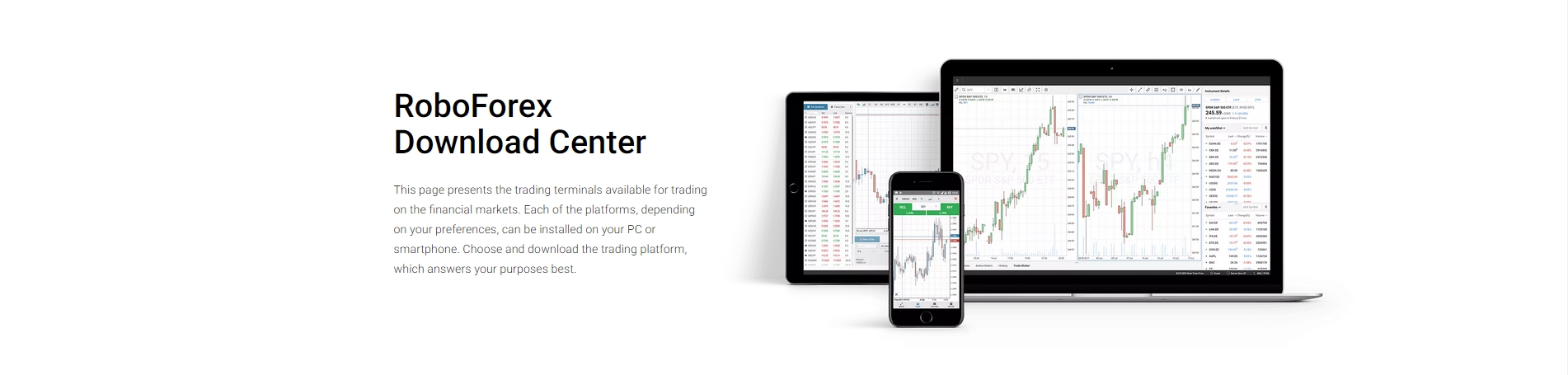
Many traders seek the flexibility of managing their portfolio without being tied to a desk. The RoboForex mobile app delivers precisely that, offering a seamless experience for anyone engaged in mobile trading iPhone users expect.
How to Easily Download R MobileTrader iOS
Getting your hands on the powerful R MobileTrader iOS application is straightforward. Follow these simple steps to begin your mobile trading journey:
- Open the App Store: Locate the blue App Store icon on your iPhone’s home screen and tap it.
- Search for “RoboForex R MobileTrader”: Use the search bar at the bottom of the App Store screen. Type in “RoboForex R MobileTrader” and hit search.
- Initiate the Download: You will see the official RoboForex R MobileTrader application in the search results. Tap the “Get” button or the cloud icon next to it.
- Authenticate Your Download: Your device may ask you to confirm the download using Face ID, Touch ID, or your Apple ID password. Complete this step to proceed.
- Launch the Application: Once the installation finishes, the app icon appears on your home screen. Tap it to open your new mobile trading platform.
Completing the download R MobileTrader iOS process is your first step towards ultimate trading freedom.
What Makes the RoboForex Mobile App Stand Out?
Beyond its easy access, the RoboForex mobile app brings a suite of features designed to enhance your trading experience. It’s built for efficiency and reliability, ensuring you never miss a market opportunity.
- Comprehensive Trading Tools: Access a full range of order types, real-time quotes, and an extensive selection of trading instruments.
- Advanced Charting Capabilities: Utilize powerful charting tools with various technical indicators to perform in-depth market analysis on the go.
- Intuitive User Interface: Navigate effortlessly through the app’s clean and user-friendly design, making trading accessible for both new and experienced users.
- Full Account Management: Deposit funds, withdraw profits, view transaction history, and manage your account details directly from your iPhone.
- Secure and Reliable: Trade with confidence knowing the app employs robust security measures to protect your data and transactions.
Embrace the convenience and power of the RoboForex R MobileTrader IOS App Download. Install it today and transform your approach to the financial markets.
Key Features of the R MobileTrader iOS App
Unlock the full potential of financial markets right from your pocket. The R MobileTrader iOS app transforms your iPhone into a powerful trading station, offering an unparalleled experience for traders on the move. Whether you’re a seasoned investor or just starting your journey, this RoboForex mobile app delivers robust tools and intuitive functionality designed to keep you connected and in control.
Advanced Trading Tools at Your Fingertips
Experience seamless execution and comprehensive control over your trades. This platform empowers you with everything you need to act swiftly on market opportunities.
- Multiple Asset Classes: Trade Forex, Stocks, Indices, Commodities, and Cryptocurrencies all from one integrated interface.
- Flexible Order Types: Execute market orders, pending orders (Buy Limit, Sell Limit, Buy Stop, Sell Stop), and advanced Stop Loss/Take Profit settings.
- Real-Time Quotes: Access live streaming quotes for all instruments, ensuring you always have the most current pricing.
- One-Click Trading: React instantly to market shifts with quick order placement directly from charts.
Comprehensive Analytical Capabilities
Gain deeper insights into market movements with a suite of analytical tools integrated into the R MobileTrader iOS. Smart decisions stem from accurate analysis.
| Feature | Benefit |
|---|---|
| Interactive Charts | Visualize price action across various timeframes (M1, M5, H1, D1, etc.). |
| Technical Indicators | Apply popular indicators like Moving Averages, MACD, RSI, and Bollinger Bands to identify trends and potential reversals. |
Intuitive User Experience
Designed for efficiency, the RoboForex R MobileTrader IOS App Download brings a user-centric interface directly to your device. Navigating markets and managing your portfolio has never been simpler, making mobile trading iPhone an absolute pleasure.
“The clarity and responsiveness of the R MobileTrader iOS app make managing my trades incredibly straightforward, even when I’m away from my desktop.”
- Customizable Watchlists: Keep an eye on your preferred instruments with personalized watchlists.
- Account Management: Easily monitor your balance, equity, margin, and open positions. Review your trading history with detailed reports.
- Push Notifications: Stay informed with alerts on price movements, order execution, and account activity.
Robust Security and Performance
Your security is paramount. This RoboForex mobile app employs advanced encryption and robust infrastructure to protect your data and transactions, ensuring a secure trading environment as you look to download R MobileTrader iOS and start trading.
- Data Encryption: All communications are encrypted to safeguard your personal and financial information.
- Reliable Performance: Experience fast order execution and stable performance, even during volatile market conditions.
Ready to empower your trading? These features highlight why many choose the R MobileTrader iOS app for their on-the-go financial market access.
Step-by-Step Guide to App Installation
Embarking on your mobile trading journey is exciting, and getting started with the RoboForex R MobileTrader IOS App Download is straightforward. We’ve simplified the process to ensure you can quickly access the markets from your iPhone. Follow these easy steps to download R MobileTrader iOS and begin mobile trading iPhone with confidence.
- Prepare Your Device
Before you begin the download, ensure your iPhone is connected to a stable internet connection, preferably Wi-Fi, to avoid data charges and ensure a smooth download process. Also, make sure you have sufficient storage space available on your device for the RoboForex mobile app.
- Locate the App Store
Tap on the blue App Store icon on your iPhone’s home screen. This is where you’ll find all legitimate iOS applications, including the official RoboForex mobile app. Once inside, use the search bar at the bottom right corner of the screen.
- Search for R MobileTrader iOS
In the search bar, type “RoboForex” or “R MobileTrader”. The App Store will display a list of relevant applications. Look for the official R MobileTrader iOS app, often featuring the distinct RoboForex logo. Double-check the developer name to confirm it’s from RoboForex.
- Initiate the Download
Once you locate the correct RoboForex R MobileTrader IOS App Download entry, tap the “GET” button next to it. You might be asked to authenticate with your Apple ID password, Face ID, or Touch ID, depending on your device settings. Confirm the download to proceed.
- Installation and First Launch
The app will automatically download and install on your iPhone. You’ll see an installation progress indicator. Once complete, the “GET” button will change to “OPEN”. Tap “OPEN” to launch your newly installed RoboForex mobile app and start configuring your trading account. A new icon for the app will also appear on your home screen.
We designed the entire process for the RoboForex R MobileTrader IOS App Download to be quick and user-friendly, putting powerful mobile trading iPhone capabilities right at your fingertips. Getting started has never been simpler!
Should you encounter any issues during the download R MobileTrader iOS process, simply restart your device or check your internet connection. Our support team is also ready to assist if you need further help.
Minimum System Requirements for iOS Devices
Ensuring your iOS device meets the necessary system requirements is crucial for a seamless and responsive trading experience. You want your mobile trading iPhone to perform at its best, especially when managing your investments. Meeting these specifications guarantees you get the most out of your RoboForex R MobileTrader IOS App Download, offering stability and full functionality.
Key Requirements for Optimal Performance
To enjoy all the features and smooth operation of the R MobileTrader iOS, pay close attention to the following:
- iOS Operating System: Your device must run iOS 12.0 or a newer version. Keeping your operating system updated not only enhances security but also ensures compatibility with the latest app features.
- Device Compatibility: The RoboForex mobile app runs efficiently on iPhone 6S and newer models. While it may function on older devices, performance might vary. For the best experience, we recommend using a more recent iPhone.
- Available Storage: Ensure you have at least 100 MB of free storage space. This allows for the initial app installation and subsequent updates without performance issues.
- Stable Internet Connection: A reliable Wi-Fi or cellular data connection is paramount. Fast execution of trades and real-time market data depend heavily on consistent network connectivity.
Why These Specifications Matter
Adhering to these minimum requirements prevents common issues like app crashes, slow loading times, or data synchronization problems. When you download R MobileTrader iOS, you’re not just getting an application; you’re gaining access to a powerful trading platform designed for efficiency. A compatible device ensures:
| Benefit | Impact on Trading |
|---|---|
| Smooth Navigation | Quick access to charts and trading instruments. |
| Real-time Data | Accurate market quotes for informed decisions. |
| Rapid Execution | Place and manage orders without delays. |
| Feature Access | Full use of all analytical tools and trading functions. |
Before you proceed with your RoboForex R MobileTrader IOS App Download, quickly check your device settings. An up-to-date iPhone provides the best possible environment for your R MobileTrader iOS experience, giving you the confidence to engage in mobile trading iPhone strategies effectively.
Why Trade with RoboForex on Mobile?
In today’s fast-paced financial markets, staying connected and reacting swiftly are paramount. Gone are the days when trading was confined to a desktop. The modern trader demands flexibility, and that’s precisely what you get when you choose the RoboForex mobile app. Imagine having the full power of your trading platform right in your pocket, ready whenever inspiration strikes or a market opportunity arises.
The R MobileTrader iOS application puts unparalleled control at your fingertips. Whether you’re commuting, traveling, or simply away from your desk, this robust platform ensures you never miss a beat. For anyone interested in mobile trading iPhone capabilities, the dedicated R MobileTrader iOS experience offers seamless integration with your device, providing an intuitive and powerful way to manage your investments.
Unleash your trading potential on-the-go with features designed for ultimate convenience and efficiency:
- Instant Market Access: Place trades, modify orders, and close positions with just a few taps, regardless of your location.
- Full Account Management: Deposit funds, withdraw profits, and review your complete trading history directly from your device.
- Advanced Charting Tools: Utilize a comprehensive suite of technical indicators and charting options to perform detailed market analysis anywhere.
- Real-Time Quotes: Stay updated with live prices for all available assets, ensuring you make informed decisions based on the latest market data.
- Secure Transactions: Trade with confidence knowing your data and funds are protected by state-of-the-art security protocols.
The design philosophy behind the RoboForex R MobileTrader IOS App Download focuses on user experience. We engineered it for clarity and ease of use, ensuring that even complex trading actions become straightforward on a smaller screen. You will find navigating markets, executing orders, and monitoring your portfolio to be a smooth and efficient process.
“Freedom in trading means being able to act on opportunities the moment they appear, no matter where you are. RoboForex mobile makes that a reality.”
Curious about the practical benefits? Here’s a quick overview:
| Aspect | Benefit to You |
|---|---|
| Mobility | Trade from anywhere, anytime. |
| Speed | Execute orders and react to market changes instantly. |
| Tools | Access powerful analytical features on the go. |
Ready to empower your trading? Don’t miss out on the convenience and efficiency that mobile trading offers. It’s time to download R MobileTrader iOS and transform your iPhone into a potent trading terminal. Experience the future of financial trading with RoboForex.
Accessing Your Trading Account Securely
In today’s fast-paced world, gaining secure access to your trading account is not just a convenience—it’s a necessity. You need robust protection without sacrificing speed or ease of use. That’s exactly what the RoboForex mobile app delivers, ensuring your financial decisions are always backed by top-tier security measures.
The RoboForex mobile app provides a fortified environment for your financial operations. Every interaction, from logging in to executing trades, happens within a secure framework. Here’s how we keep your account safe:
- Advanced Encryption: All data transmitted through the R MobileTrader iOS app uses state-of-the-art encryption, protecting your personal and financial information from unauthorized access.
- Biometric Authentication: For enhanced security and convenience, the app supports biometric logins. Access your account quickly and safely using Face ID or Touch ID on your iPhone.
- Secure Connections: The app establishes secure, encrypted connections to our servers, safeguarding your trading activities against interception.
- Real-time Monitoring: Our systems continuously monitor for suspicious activity, providing an extra layer of protection for your trading account.
Security doesn’t have to mean complexity. The R MobileTrader iOS app is designed for intuitive use, letting you focus on your strategies. Imagine managing your portfolio, analyzing market trends, and executing trades directly from your iPhone, all with the peace of mind that your data is protected. This powerful application makes mobile trading iPhone an incredibly secure and efficient experience. You can check balances, review past transactions, and manage open positions with just a few taps, knowing your personal data remains private and secure.
Ready to experience secure mobile trading? Taking control of your trading future starts with a simple step. The RoboForex R MobileTrader IOS App Download is straightforward and quick. Join a community that values both performance and security.
“Security is not a feature; it’s the foundation of trust in online trading.” – Our commitment to you.
Don’t wait to elevate your trading experience. Secure your financial future by choosing a platform that prioritizes your safety. Find out how to download R MobileTrader iOS today and begin your secure mobile trading journey.
Managing Funds: Deposits and Withdrawals on the Go
Imagine managing your entire trading account from anywhere, at any time. The RoboForex mobile app makes this a reality, placing powerful financial control directly in your pocket. With the R MobileTrader iOS, you gain unparalleled flexibility to handle your capital, ensuring you’re always ready to seize market opportunities without delay.
**Effortless Deposits: Fuel Your Trading Momentum**
Topping up your trading account should be straightforward and secure. The R MobileTrader iOS offers a seamless deposit experience. Access a diverse range of funding methods right from your iPhone, including popular bank cards, e-wallets, and various other secure payment systems. Initiating a deposit takes just a few taps, allowing you to fund your account swiftly and stay engaged with the markets. This immediate access to capital is essential for agile mobile trading iPhone users who need to react quickly to market shifts.
- Choose from multiple secure payment options.
- Experience instant processing for most deposit methods.
- Benefit from robust encryption protecting your financial data.
- Track your deposit status directly within the app.
**Streamlined Withdrawals: Access Your Profits with Ease**
When it’s time to cash in on your successful trades, the process should be just as efficient. The RoboForex mobile app simplifies withdrawals, allowing you to access your profits on the go. Simply request your funds through the app, select your preferred withdrawal method, and follow the intuitive steps. Our system processes your requests efficiently, providing you with complete control over your earnings.
| Feature | Your Benefit |
|---|---|
| Quick In-App Deposits | Fund your account instantly to capitalize on market moves. |
| Simple In-App Withdrawals | Effortlessly access your profits wherever you are. |
| Robust Security Measures | Ensure every financial transaction remains safe and private. |
This comprehensive financial management capability is a core advantage of the RoboForex R MobileTrader IOS App Download. It empowers you to maintain total oversight of your capital, whether you’re adding funds to leverage a new trend or withdrawing profits after a successful trading session. You no longer need to be tied to a desktop; your financial operations are truly mobile.
Ready to experience the ultimate convenience in managing your trading funds and elevate your mobile trading iPhone experience? Take control of your finances today. It’s time to download R MobileTrader iOS and place the power of seamless financial management directly into your hands. Join us and discover a smarter way to trade and manage your capital.
Available Trading Instruments on the iOS App
Ready to explore a world of trading opportunities right from your iPhone? The RoboForex mobile app brings a diverse selection of financial instruments directly to your fingertips. When you download R MobileTrader iOS, you unlock access to an extensive market, allowing you to manage your portfolio anytime, anywhere. This powerful platform ensures you have the tools to react swiftly to market changes and pursue your trading goals.
Your journey with R MobileTrader iOS allows you to engage with a broad spectrum of assets. Here are the primary instrument categories you will find:
- Currencies (Forex)
- Stocks
- Indices
- Commodities
- ETFs (Exchange Traded Funds)
- Cryptocurrencies
Currencies (Forex)
Dive into the dynamic foreign exchange market. The RoboForex R MobileTrader IOS App Download gives you access to major currency pairs like EUR/USD, GBP/USD, and USD/JPY, alongside a variety of minor and exotic pairs. This provides ample opportunity for those interested in global economic shifts and currency valuations.
Stocks
Trade shares of leading global companies. With mobile trading iPhone capabilities, you can buy or sell stocks from tech giants, automotive leaders, and more. Monitor market movements and execute trades for companies that matter to your investment strategy.
Indices
Gain exposure to entire economies or sectors by trading stock market indices. Track the performance of benchmarks like the S&P 500, Dow Jones, or DAX, allowing for broader market participation without the need to trade individual stocks.
Commodities
Hedge against inflation or speculate on price movements of essential raw materials. The R MobileTrader iOS platform offers popular commodities such as gold, silver, crude oil, and natural gas. These can be valuable additions to a diversified trading strategy.
ETFs (Exchange Traded Funds)
Diversify your portfolio easily with Exchange Traded Funds. ETFs bundle various assets, offering exposure to diverse markets or sectors through a single instrument. They are a flexible choice for both new and experienced traders looking for broad market access.
Cryptocurrencies
Step into the exciting world of digital assets. The RoboForex mobile app provides access to popular cryptocurrencies like Bitcoin, Ethereum, and Litecoin, allowing you to trade these volatile yet potentially rewarding instruments directly from your device.
The extensive range of instruments available ensures you find opportunities matching your trading style and risk appetite. Get started with the RoboForex R MobileTrader IOS App Download and empower your mobile trading iPhone experience today!
Understanding the User Interface and Navigation
Navigating your trading platform should feel intuitive, not intimidating. The interface of the RoboForex R MobileTrader iOS app prioritizes clarity and efficiency, ensuring you can execute trades and manage your portfolio with ease on your Apple device. We understand that effective mobile trading iPhone requires a streamlined experience, and this app delivers just that.
Getting Started After You Download R MobileTrader iOS
Once you complete the RoboForex R MobileTrader IOS App Download, you’ll immediately notice a clean, organized layout. The design focuses on placing essential tools within quick reach. No matter your experience level, finding what you need becomes second nature, allowing you to focus on market analysis rather than fumbling through menus.
Core Navigation Elements Explained
The main navigation often resides at the bottom of the screen, providing quick access to key sections. This common design choice across many popular apps makes the RoboForex mobile app instantly familiar. Here are the primary areas you’ll interact with:
- Quotes: Real-time price data for various instruments. Tap to open charts or place trades.
- Charts: Advanced charting tools with indicators for technical analysis. Pinch-to-zoom and swipe to navigate timeframes effortlessly.
- Trade: Your current open positions, pending orders, and account summary. Manage your portfolio directly from here.
- History: Review your past trades and financial operations. Track your performance and learn from previous decisions.
- More: Access additional features like account management, settings, news, and support.
Seamless Trading Execution
Executing trades is straightforward. From the ‘Quotes’ section, a simple tap on an instrument brings up its chart and a quick trade panel. You can set stop loss, take profit, and order types directly from this intuitive interface. Monitoring your positions is equally simple; the ‘Trade’ tab provides an at-a-glance overview of your open trades and account equity, letting you make swift adjustments as market conditions evolve.
Account Management at Your Fingertips
Managing your funds is a critical part of any trading experience. The R MobileTrader iOS provides easy access to deposit and withdrawal functions through the ‘More’ section. You can also view detailed account statements, adjust personal settings, and access customer support, all without leaving the application. This centralized approach ensures you retain full control over your trading finances.
The entire user experience, from the moment you download R MobileTrader iOS, aims to provide clarity and responsiveness. Its thoughtful design empowers you to engage with global financial markets efficiently, making mobile trading iPhone a truly viable and enjoyable activity.
Advanced Charting Tools for Technical Analysis
Success in financial markets often hinges on sharp, data-driven decisions. For serious traders, technical analysis is a cornerstone of strategy, and having robust charting tools is non-negotiable. The RoboForex mobile app brings a professional-grade analytical suite right to your fingertips, ensuring you never miss a beat.
The R MobileTrader iOS platform empowers you with an arsenal of advanced charting features designed to dissect market movements with precision. You gain immediate access to a comprehensive selection of indicators and drawing tools, essential for identifying trends, support, and resistance levels. This means you can perform detailed analysis whether you are at your desk or on the move.
Unleash Powerful Indicators
Deep dive into market dynamics using a wide array of technical indicators. These tools help you predict future price movements and make informed trading choices. Explore popular options such as:
- Moving Averages (SMA, EMA, WMA)
- Relative Strength Index (RSI)
- Moving Average Convergence Divergence (MACD)
- Bollinger Bands
- Stochastic Oscillator
- Fibonacci Retracements and Extensions
Each indicator is customizable, allowing you to adjust parameters to fit your specific analytical approach and trading style. This flexibility is key for adapting to diverse market conditions.
Versatile Chart Types and Timeframes
Visualizing market data effectively is critical. The R MobileTrader iOS app provides various chart types, each offering a unique perspective on price action. Coupled with multiple timeframes, you gain unparalleled insight.
| Chart Type | Description |
|---|---|
| Candlestick Charts | Offers detailed open, high, low, close prices, showcasing market sentiment. |
| Bar Charts | Similar to candlesticks, highlighting price ranges over specific periods. |
| Line Charts | Provides a clear view of closing prices, ideal for identifying overall trends. |
Switch effortlessly between different timeframes, from minute-by-minute views for scalping to daily or weekly charts for long-term strategic planning. This adaptability ensures your analysis aligns perfectly with your trading objectives, even for dynamic mobile trading iPhone environments.
When you download R MobileTrader iOS, you unlock a world of sophisticated analysis. The intuitive interface ensures that even with powerful tools, the experience remains smooth and user-friendly. Perform intricate technical analysis directly from your device, identify opportunities, and execute trades with confidence. It is all about empowering your trading journey.
Executing Trades: Orders, Stop Loss, and Take Profit
Once you’ve analyzed the market, the next critical step is swift and precise trade execution. The RoboForex mobile app empowers you to place trades with confidence, directly from your device. Understanding how to use various order types, alongside vital risk management tools like Stop Loss and Take Profit, gives you ultimate control over your trading strategy.
Mastering Order Types for Every Scenario
The R MobileTrader iOS app offers a range of order types, allowing you to enter and exit the market exactly when and how you want. Each type serves a distinct purpose, adapting to different market conditions and trading objectives:
- Market Order: This is the quickest way to enter or exit a trade. You execute at the current best available market price, making it ideal for fast-moving markets or when immediate action is necessary.
- Limit Order: Set a specific price at which you want to buy or sell. A buy limit order executes at your specified price or lower, while a sell limit order executes at your specified price or higher. Use this to get a better entry point or lock in profits at a desired level.
- Stop Order: This order becomes a market order once a specified “stop price” is reached. You can use it to enter a trade once a resistance or support level is broken, or more commonly, to limit potential losses on an open position.
Protecting Your Capital with Stop Loss
Successful trading is not just about making profits; it’s also about managing risk effectively. A Stop Loss (SL) order is your primary tool for capital protection. It automatically closes your trade if the market moves against your position to a predefined level.
Setting a Stop Loss on the RoboForex mobile app is straightforward. Before opening a new position, you can specify your maximum acceptable loss. This order remains active even if you close the app or lose connection, offering peace of mind. Mobile trading iPhone users particularly appreciate this feature for its convenience and reliability.
Securing Your Gains with Take Profit
Just as Stop Loss protects against downside, a Take Profit (TP) order helps you lock in gains. This order automatically closes your trade once the market reaches a specified profit level. It ensures you don’t miss out on your target profit, especially during volatile periods or when you can’t constantly monitor the market.
Integrating Take Profit into your trading strategy is simple with the R MobileTrader iOS application. Define your target profit level when opening a trade, and the system will automatically execute it when reached. This discipline is key to consistent profitability.
Seamless Execution on Your iPhone
The intuitive design of the RoboForex mobile app makes executing these complex orders feel effortless. Whether you need to download R MobileTrader iOS for the first time or are a seasoned user, the interface is designed for clarity and speed. From setting precise entry and exit points to managing your risk with Stop Loss and Take Profit, every function is optimized for mobile trading iPhone users. This ensures you maintain full control over your portfolio, wherever your day takes you. Take advantage of all these features by making the RoboForex R MobileTrader IOS App Download today!
Push Notifications and Market Alerts
In the dynamic world of financial markets, every second counts. Staying informed and reacting swiftly can define your trading success. That’s precisely why our push notifications and market alerts are an indispensable feature for any serious trader using the RoboForex mobile app.
Once you complete your RoboForex R MobileTrader IOS App Download, you unlock a powerful stream of real-time intelligence directly on your device. These alerts act as your personal market watchdog, ensuring you never miss a critical price movement, breaking news, or a key trading opportunity, even when you are away from your desk.
We specifically designed the R MobileTrader iOS application to keep you ahead of the curve. Imagine making informed decisions on the go, whether you are commuting or simply enjoying your coffee. Our push notifications deliver timely updates, empowering your mobile trading iPhone experience.
What You Get with Our Alerts:
- Price Alerts: Set specific price levels for your favorite assets. Receive an instant notification the moment the market reaches your predefined threshold, helping you spot entry or exit points quickly.
- Order Status Updates: Stay informed about the execution of your orders. Get immediate alerts when your pending orders are filled, modified, or canceled.
- Key Market News: We deliver important economic announcements, geopolitical developments, and corporate news that can significantly impact market prices directly to your phone.
- Analytical Insights: Occasionally, you will receive notifications about fresh analytical reviews or upcoming webinars, giving you an edge in market understanding.
Customizing these alerts is simple. You have full control over the types of notifications you receive, tailoring them to your specific trading strategies and preferences. This ensures you get relevant information without unnecessary clutter. Don’t wait; download R MobileTrader iOS today and transform your trading experience with smart, timely alerts.
Security Measures within the RoboForex R MobileTrader App
Trading in today’s fast-paced markets demands uncompromising security. When you choose to download R MobileTrader iOS, you entrust us with your financial information. The RoboForex R MobileTrader iOS App Download prioritizes the protection of your assets and personal data with a multi-layered security framework.
Advanced Data Encryption
Your data’s journey is always protected. The R MobileTrader iOS utilizes robust encryption technologies, ensuring all communication between your device and our servers remains confidential. This sophisticated safeguarding prevents unauthorized access to your trading activities and personal details, making your mobile trading iPhone experience secure from end to end. Every transaction, every piece of personal information, travels within a secure, encrypted tunnel.
Secure Authentication Protocols
Access to your trading account benefits from stringent controls. The RoboForex mobile app incorporates powerful authentication methods to verify your identity. You can strengthen your login with two-factor authentication (2FA), adding an essential extra layer of defense. For modern convenience and top-tier security, the app supports biometric login options, including Touch ID and Face ID, directly integrating with your iPhone’s security features.
Continuous Platform Monitoring
Beyond your device, our core infrastructure stands vigilant. RoboForex employs constant monitoring of its servers and network to detect and mitigate potential threats proactively. Our systems undergo regular, independent security audits. These rigorous checks confirm the integrity and resilience of the entire trading platform, ensuring the RoboForex mobile app operates in a robust, secure environment against evolving cyber risks.
Your Role in Maintaining Security
While we implement extensive measures, your active participation is crucial for comprehensive security. Empower yourself with these best practices:
- Always create strong, unique passwords for your account.
- Never share your login credentials with anyone, regardless of their claims.
- Keep your mobile trading iPhone operating system and the RoboForex mobile app consistently updated. These updates often contain critical security patches.
- Exercise caution with unsolicited emails or messages asking for personal details.
Together, we create a secure trading environment. The RoboForex R MobileTrader iOS App Download is designed with your safety in mind, allowing you to focus on your trading goals with confidence.
Troubleshooting Common App Issues
Even the most robust trading platforms can sometimes encounter unexpected hiccups. Don’t let a minor technical glitch disrupt your mobile trading iPhone experience. The RoboForex R MobileTrader IOS App provides a powerful interface for your financial activities, but knowing how to quickly resolve common issues keeps you ahead. We’ll walk you through simple, effective steps to get your app running smoothly again.
App Not Launching or Crashing
Is your R MobileTrader iOS refusing to open, or does it unexpectedly close? This is a common frustration, but often has a simple fix.
- **Force Close and Restart:** Swipe up from the bottom of your iPhone screen (or double-tap the Home button on older models) to bring up the app switcher. Find the RoboForex mobile app, and swipe it upwards to close it completely. Then, try opening it again.
- **Restart Your Device:** A full device restart can clear temporary glitches affecting multiple apps. Power off your iPhone, wait a few seconds, and then power it back on.
- **Check for Updates:** An outdated app version might have bugs already resolved in newer releases. Visit the App Store, search for “RoboForex R MobileTrader,” and see if an “Update” button is available.
Login Problems
Can’t access your account? Login issues are usually related to credentials or connectivity.
- **Verify Credentials:** Double-check your login ID and password. Remember they are case-sensitive. If you’ve forgotten your password, use the “Forgot Password” option on the login screen or website.
- **Internet Connection:** A stable internet connection is crucial for login. Switch between Wi-Fi and mobile data to see if one works better. Try opening a browser to confirm your internet is active.
- **Server Status:** Occasionally, server maintenance or issues can impact connectivity. Check the official RoboForex website or social media for any service announcements.
Slow Performance or Freezing
A sluggish app can hinder quick decision-making in fast-paced markets. If your R MobileTrader iOS feels slow or unresponsive, consider these points:
| Issue Type | Potential Cause | Solution |
|---|---|---|
| General Lag | Too many background apps | Close unnecessary background applications to free up device memory. |
| Freezing UI | Low device storage | Clear some space on your iPhone by deleting old photos or unused apps. |
| Slow Data Load | Weak network signal | Move to an area with better Wi-Fi or mobile data coverage. |
Issues During App Updates
Sometimes, the update process itself can cause problems. If you’re having trouble with your RoboForex mobile app update:
- **Insufficient Storage:** Ensure you have enough free space on your iPhone for the update to download and install.
- **Weak Wi-Fi Connection:** A spotty connection can interrupt the download. Try updating on a strong, stable Wi-Fi network.
- **Clear App Store Cache:** Go to your App Store, tap on your profile icon, and swipe down repeatedly to refresh the cache. Then, try updating again.
When All Else Fails: Reinstallation
If you’ve tried the above steps and the problem persists, a clean reinstallation can often resolve deeper issues. Deleting the app and then performing a fresh RoboForex R MobileTrader IOS App Download ensures you have the latest, uncorrupted version.
“A fresh start often solves the most stubborn tech issues. Reinstalling the app can clear corrupted data and provide a clean slate for your mobile trading iPhone experience.”
To reinstall: simply press and hold the app icon until it wiggles, then tap the ‘X’ or ‘Remove App’ option. Afterwards, go to the App Store and search for “RoboForex R MobileTrader” to download R MobileTrader iOS again.
Contact Support
Still facing challenges? Don’t hesitate to reach out to RoboForex customer support. Provide them with detailed information about the issue, including error messages, steps you’ve already taken, and your device model. They are there to help ensure your trading experience remains seamless.
Comparing R MobileTrader with Other Mobile Platforms
In today’s fast-paced financial world, having a reliable and robust mobile trading platform is non-negotiable. Many options compete for your attention, but understanding what truly sets an app apart makes all the difference. When you consider the vast landscape of mobile trading solutions, the RoboForex mobile app, particularly R MobileTrader iOS, consistently emerges as a top contender.
We see countless platforms offering basic trading functionalities. However, R MobileTrader distinguishes itself by blending advanced features with remarkable ease of use, especially for those who rely on their iPhone for crucial trading decisions. It’s more than just a place to execute trades; it’s a comprehensive environment designed for serious traders.
What Makes R MobileTrader a Standout?
Let’s dive into some key areas where R MobileTrader truly shines when stacked against its peers:
- Intuitive User Experience: Many apps cram too much information, making them clunky. R MobileTrader iOS provides a clean, well-organized interface. Navigating charts, placing orders, and managing your portfolio feels natural and efficient, letting you focus on the market, not the app.
- Comprehensive Toolset: For mobile trading iPhone users, access to deep analytical tools is critical. R MobileTrader offers a rich selection of technical indicators and charting options that rival desktop platforms. You gain the power to perform detailed analysis directly from your device, enabling informed decisions on the go.
- Superior Performance: Speed matters in trading. We engineered R MobileTrader for rapid execution and real-time data streaming. This means less lag and quicker responses, giving you an edge when market conditions change in an instant.
- Seamless Integration: The RoboForex R MobileTrader IOS App Download provides a direct gateway to all your RoboForex accounts and services. This unified experience eliminates the need to switch between multiple applications, streamlining your workflow and improving overall efficiency.
- Robust Security Protocols: Protecting your investments and personal data is paramount. R MobileTrader incorporates industry-leading security features, giving you peace of mind that your mobile trading activities remain secure against threats.
R MobileTrader: A Quick Comparison Perspective
Here’s a snapshot of how R MobileTrader measures up in critical areas compared to general market offerings:
| Feature | R MobileTrader iOS | Typical Competitor Mobile App |
|---|---|---|
| Charting & Analysis | Advanced, desktop-grade tools | Basic, limited indicators |
| Order Execution Speed | Lightning-fast and reliable | Variable, prone to latency |
| User Interface | Clean, intuitive, customizable | Cluttered, steep learning curve |
| Security | Top-tier encryption & protocols | Standard, potentially weaker |
| Asset Coverage | Extensive, diverse instruments | Often limited to popular pairs |
The differences are clear. While many apps simply exist, R MobileTrader iOS strives to empower your trading journey. We understand that your time is valuable, and your trading decisions require the best tools at your fingertips. Take the step today and see for yourself why so many traders choose this powerful platform. A quick download R MobileTrader iOS will open up a world of sophisticated mobile trading iPhone capabilities.
Frequently Asked Questions
How do I download the RoboForex R MobileTrader iOS app to my device?
To download, simply open the App Store on your iPhone or iPad, search for “RoboForex R MobileTrader,” and tap the “Get” button. After authentication, the app will install, and you can then open it to log in or register a new account.
What are the main benefits of using the R MobileTrader iOS app for trading?
The app offers an intuitive interface, full account management, advanced charting with numerous indicators, instant order execution, integrated market news, and robust security protocols, providing a seamless and reliable trading experience on your Apple device.
Which financial instruments are available for trading on the RoboForex mobile app?
The R MobileTrader iOS app provides access to a diverse range of instruments, including Forex (currencies), Stocks, Indices, Commodities (like gold, oil), ETFs (Exchange Traded Funds), and popular Cryptocurrencies such as Bitcoin and Ethereum.
What are the minimum system requirements for the R MobileTrader iOS app?
For optimal performance, your device should run iOS 12.0 or a newer version, ideally an iPhone 6S or newer model. Ensure you have at least 100 MB of free storage and a stable internet connection.
How can I securely manage deposits and withdrawals using the R MobileTrader iOS app?
The app facilitates effortless deposits and streamlined withdrawals directly from your iPhone. You can choose from multiple secure payment options, track transaction status, and benefit from robust encryption and security measures protecting all your financial operations.